Operation 2027
Floor Guide

Future of HR, Wednesday 14 to Friday 16 October 2026. The screens and buttons behind the Field Manual, on one page. One room. One offer. One deadline.

Get a name, a number, and a date in the diary.A booked meeting beats a great conversation. The offer: a free 45-minute 2027 HR Strategy Session with Topco.

The whole thing

One rule. Two codes. Three screens.

That is all there is to remember tomorrow. Everything else can wait until after the event.

1

Rule

A name, a number, and a date in the diary.

2

QR codes

  • Survey code — seat card and stage screen. Also crm.topco.co.za/hr2027
  • Booking code — big screen and your phone
3

Screens

  • The big screen at the expo entrance
  • Floor Squad: your phone
  • Base Squad: your laptop

How a session gets booked

Three ways in, one place they all land

It doesn't matter which route a delegate takes. Every one ends as a session with a date, and counts towards the 30.

They scan the big screenand pick a time on their own phone.
They scan the seat cardanswer six questions, and “Yes, show me times” takes them straight to the calendar.
They talk to you, or Base calls themand you book it there and then.
→
A session in the diary45 minutes, online, Monday 19 to Friday 30 October.
→
30sessions, and only 30 existCloses Friday 17:00. No extensions.

Screen 1 · Events team

The big screen at the expo entrance
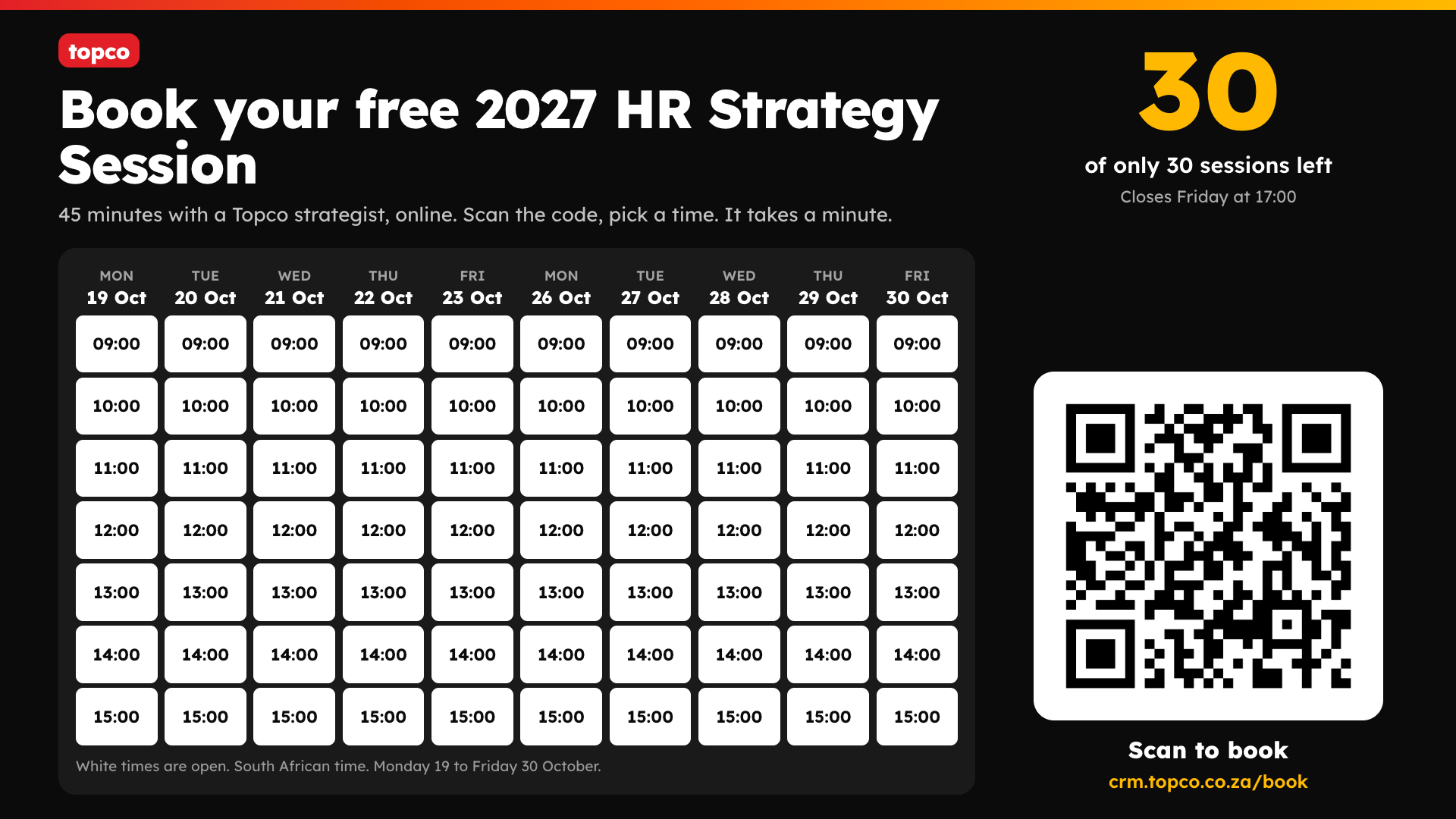
The big-screen calendar: ten days of session times, the number of sessions left, and a QR code to book
The calendar on the TV. White times are open, taken ones are struck out. No names are ever shown.
  1. Open crm.topco.co.za/book/screenOn the laptop or stick driving the screen. No login is needed.
  2. Make it full screenPress F11 (Windows) or Ctrl + Cmd + F (Mac).
  3. Leave itIt refreshes itself every 30 seconds: the times fill up and the number of sessions left counts down as people book. It is a display, so people book by scanning the code with their phone.
Test it before doors openScan the code from where delegates will stand, on venue Wi-Fi and on mobile data.
What the delegate sees

On their own phone, in about a minute

Worth knowing so you can talk someone through it.

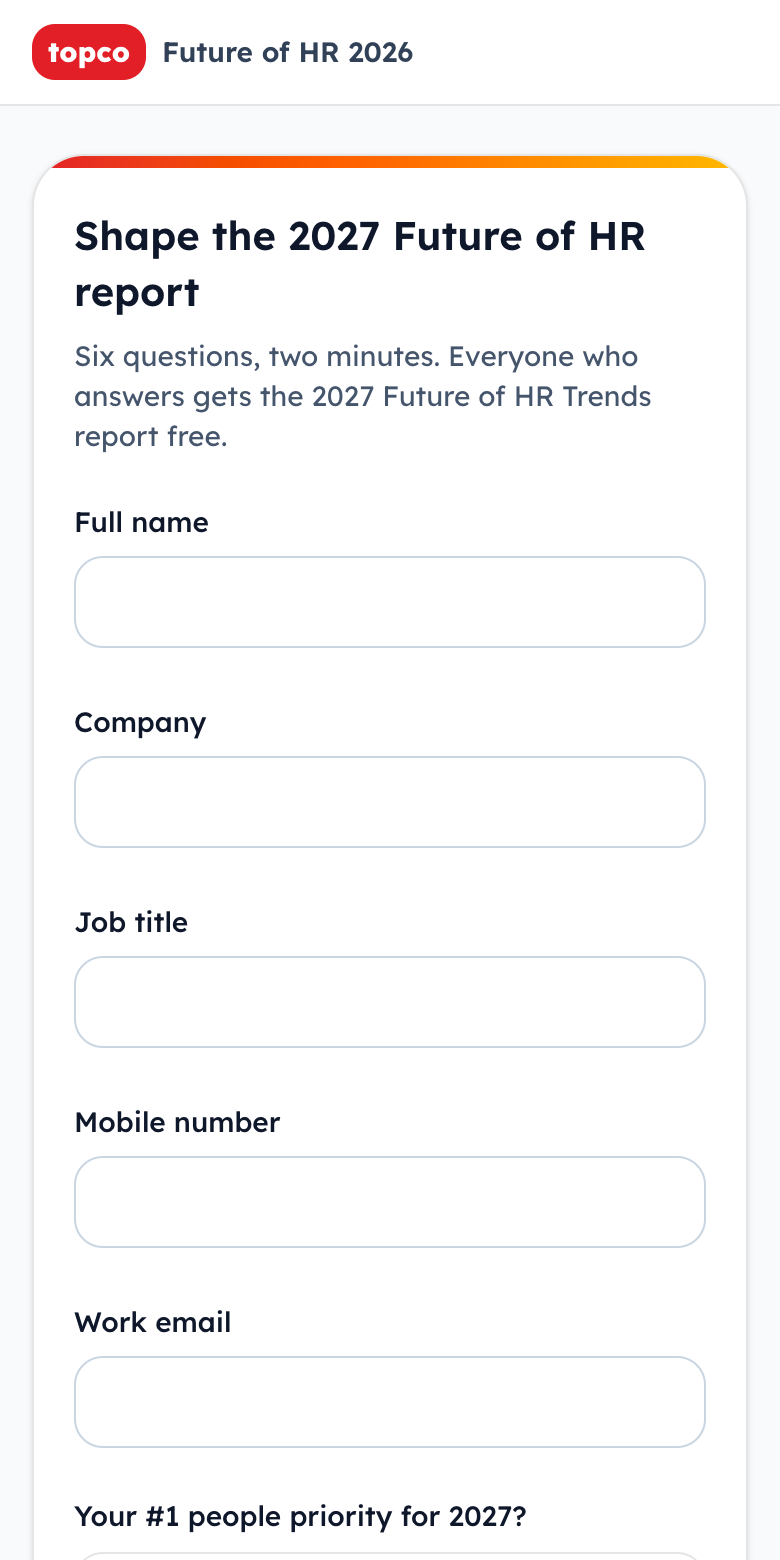
The six-question survey on a phone
The surveySix questions, two minutes. “Yes, show me times” goes straight to the calendar.
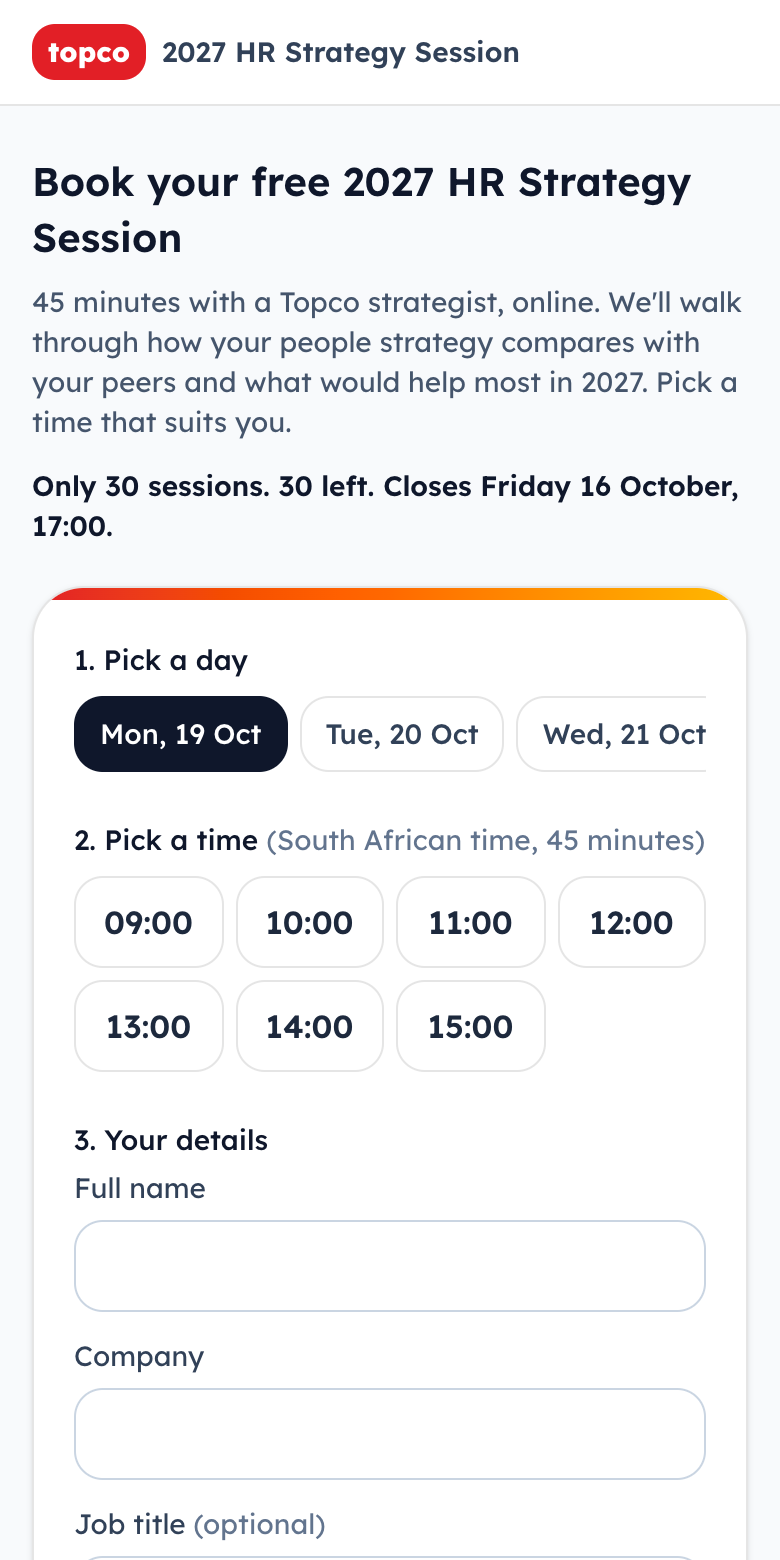
The booking page: pick a day, pick a time, your details
Pick a day and a timeThen name, company, email and mobile.
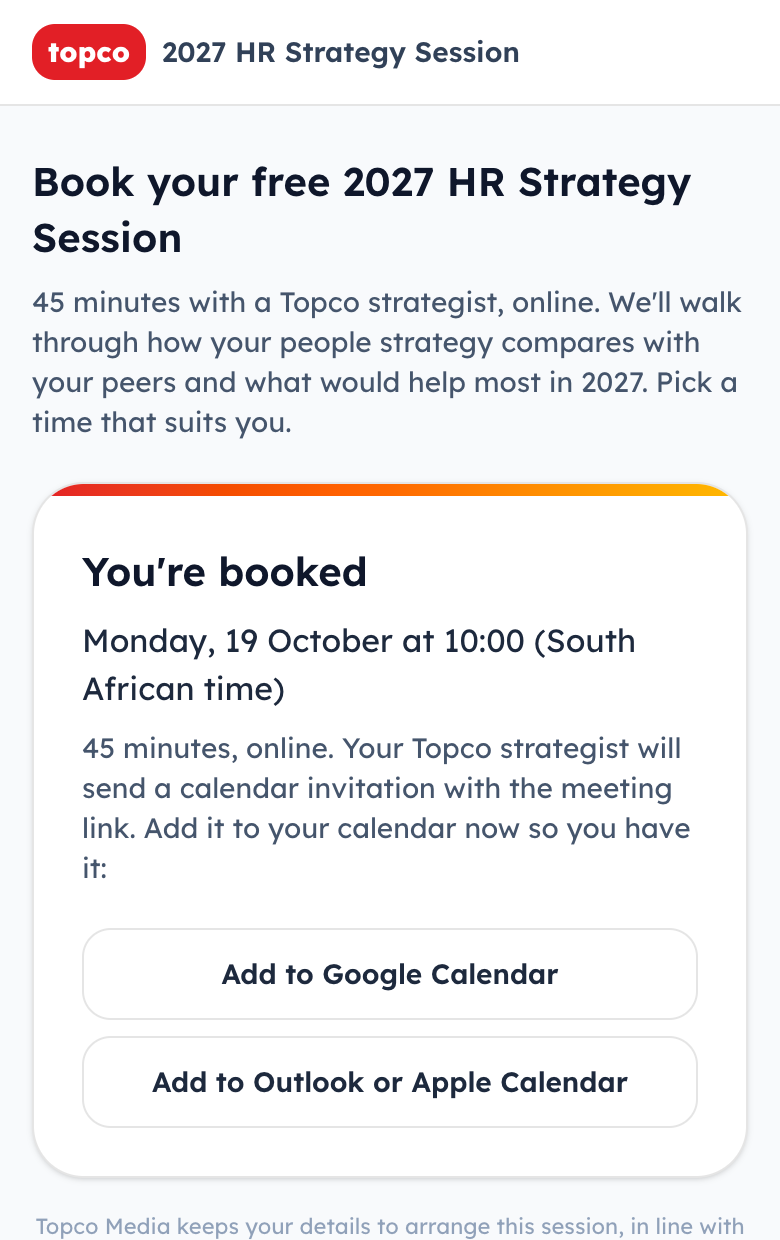
The You're booked confirmation with add to calendar buttons
BookedThey add it to their calendar there and then.
They do not get an invitation automaticallyThe rep must send the calendar invitation with the meeting link the same day. Until you do, all they have is the entry they added themselves.

Screen 2 · Floor Squad

Your phone: crm.topco.co.za/sprint

Sign in to the CRM on your phone once, then open that address and save it to your home screen. Do this tonight, not on the floor. You need to be on the access list first.

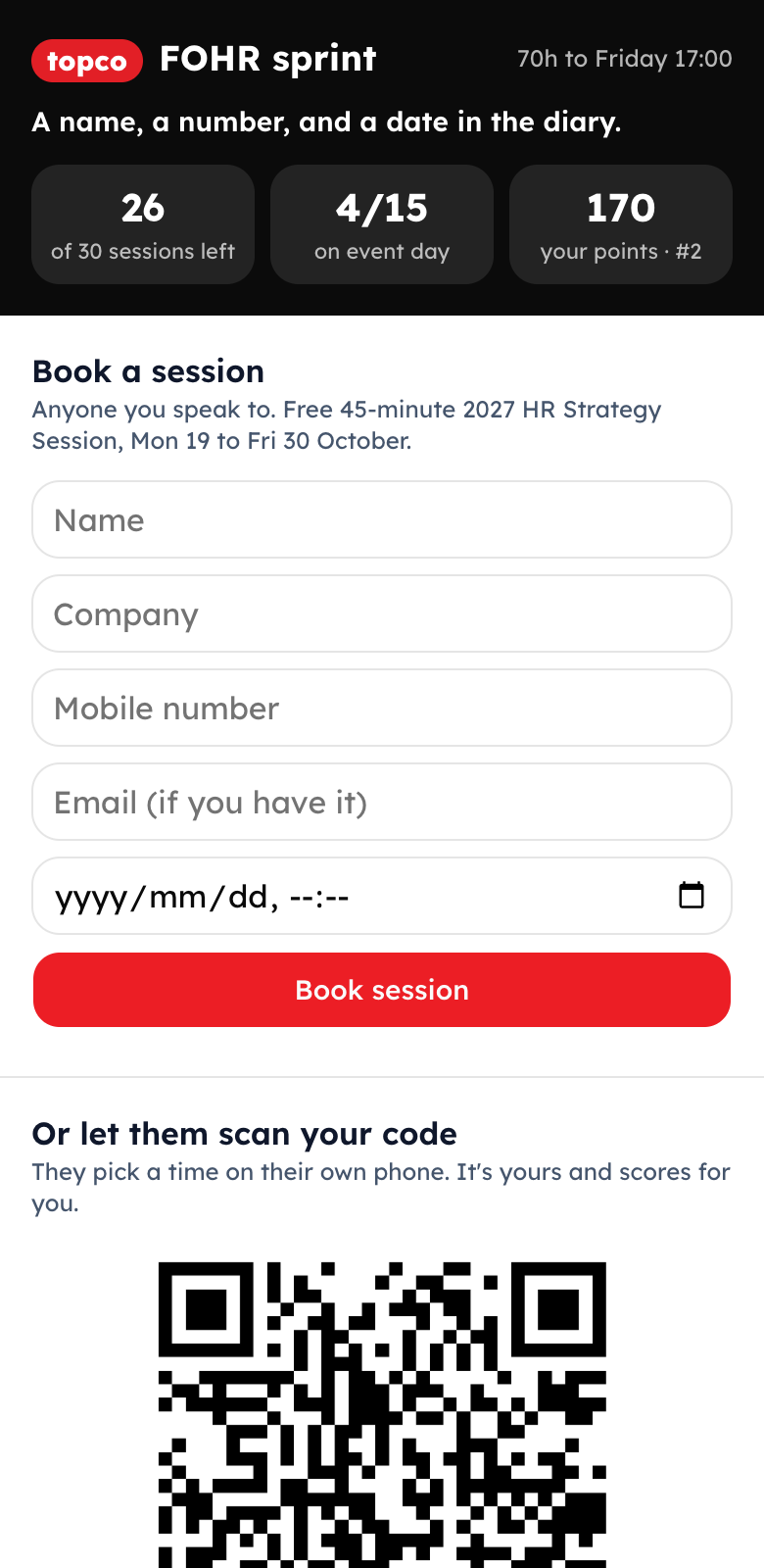
The phone sprint page: scores at the top and a short Book a session form
1. Book it yourselfName, company, mobile, date and time. Tap Book session.
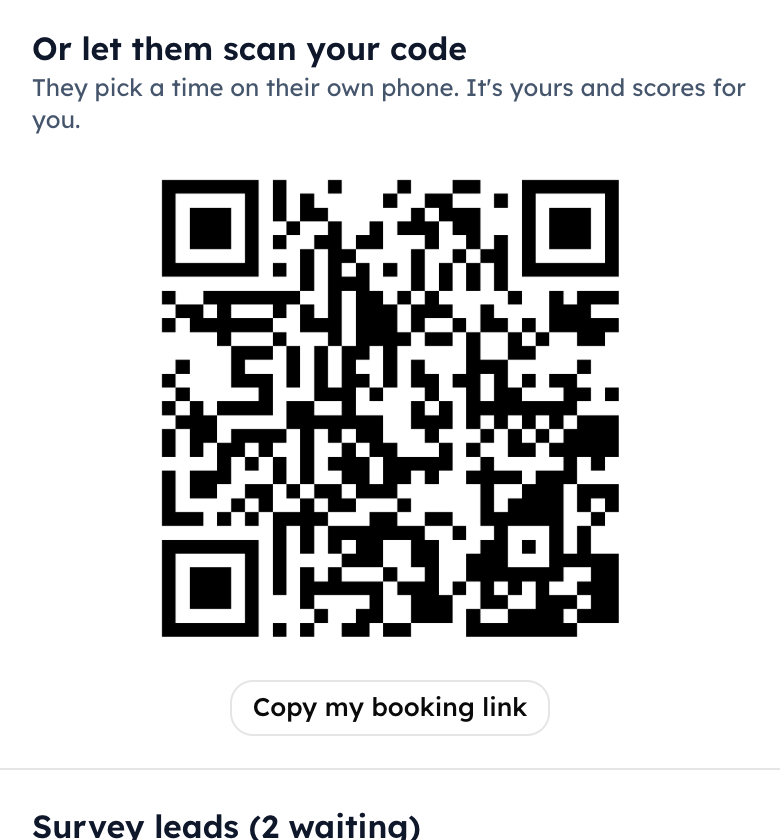
The rep's own QR code
2. Or show your codeThey scan it and pick a time. It's yours and scores for you.
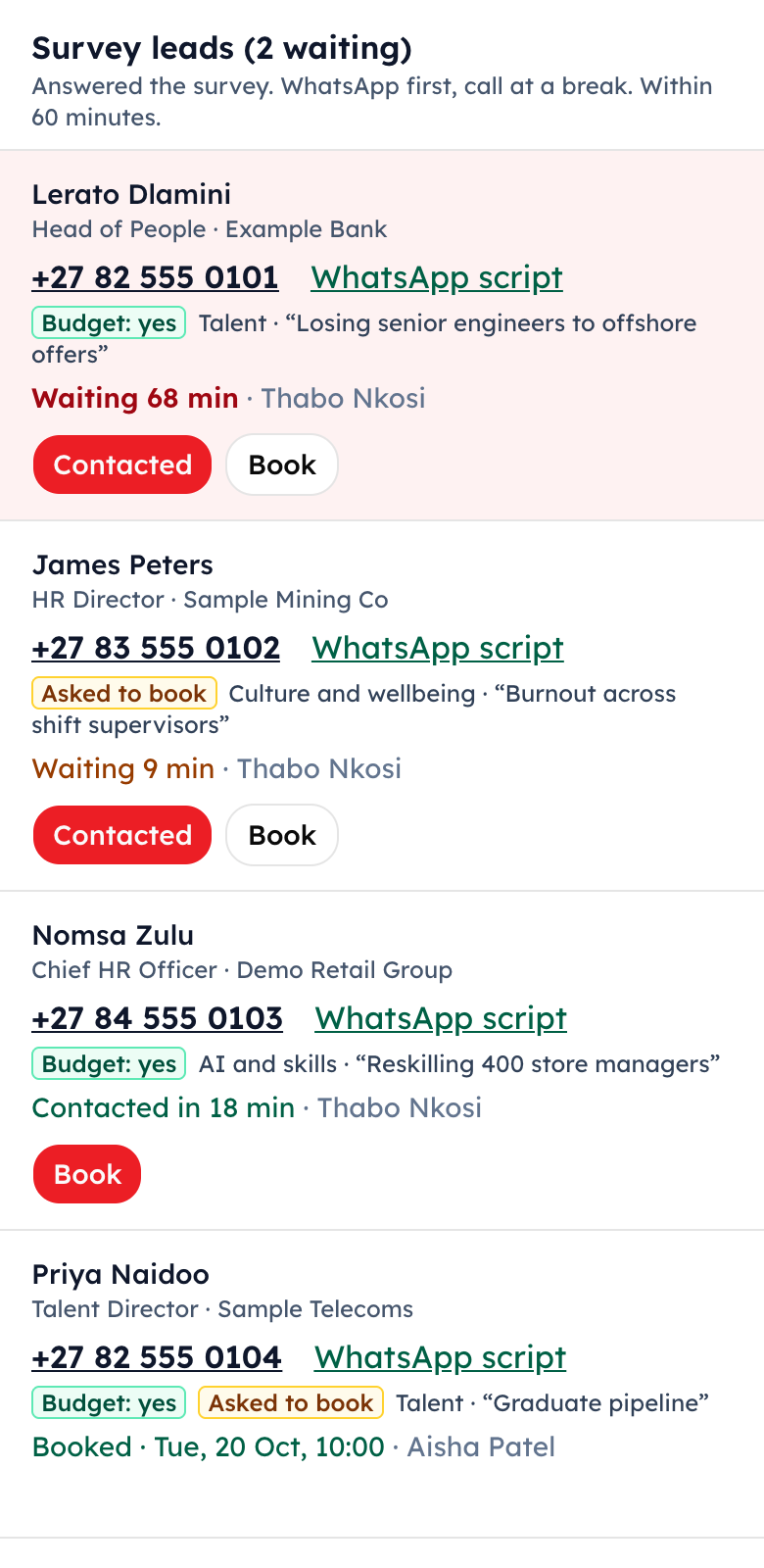
The survey leads list with phone numbers, waiting times and Contacted and Book buttons
3. Work the survey leadsTap the number to call. Then Contacted and Book.
Tapping “Contacted” makes the lead yoursIt stops the 60-minute clock and stops two reps chasing the same person.
Your 10 targets are at the topOnce the Floor Lead has split the top 50, your named accounts and who is here from each appear first. Tap “Spoke in person” after each one.

Points

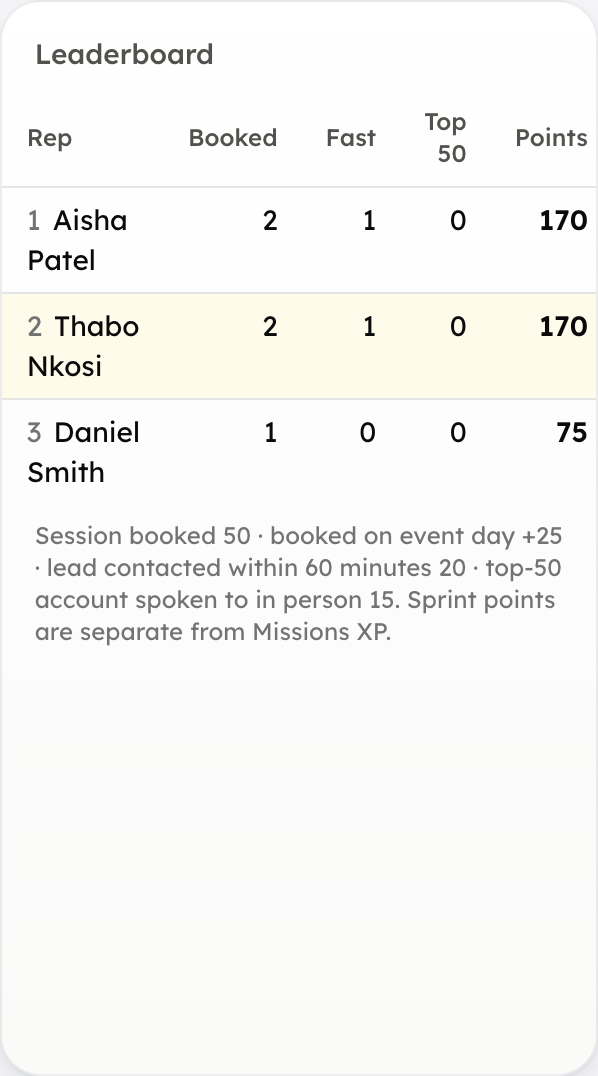
50
a session booked
+25
if it's booked on event day
20
a survey lead contacted inside 60 minutes
15
a top-50 account spoken to in person

Screen 3 · Base Squad

Your laptop: Sales › Operation 2027

Every survey answer is a lead. The floor finds people; the base books them.

  1. A lead landsIt appears in Survey leads with their priority, their biggest challenge in their own words, and whether recognition is a 2027 budget line.
  2. The Base Lead assigns it within 5 minutesPick the caller in the “Assign to…” box. They get a notification.
  3. WhatsApp first“WhatsApp with the script” opens WhatsApp with the message already written and your name in it. Then tap Contacted.
  4. Call at the next breakNever during a session: they're sitting in a hall. Three attempts on the day, at most.
  5. Book itTap Book and pick the time with them. Then “Copy BOOKED” and paste it in the group.
A red row is past 60 minutesSomebody scanned and nobody has contacted them. It goes to whoever is free, now.
Green “Budget: yes” firstIf leads are stacking up, call the ones with a budget line before the rest.
“All 30 sessions are booked”That is the real number. New people go on the waiting list. Only Ralf can open more.

Both Leads

Running the board

The Floor Lead and the Base Lead see everything on Sales › Operation 2027, and are the ones who assign.

The scoreboard: survey responses, leads contacted in 60 minutes, booked on event day, booked by Friday, top 50 spoken to
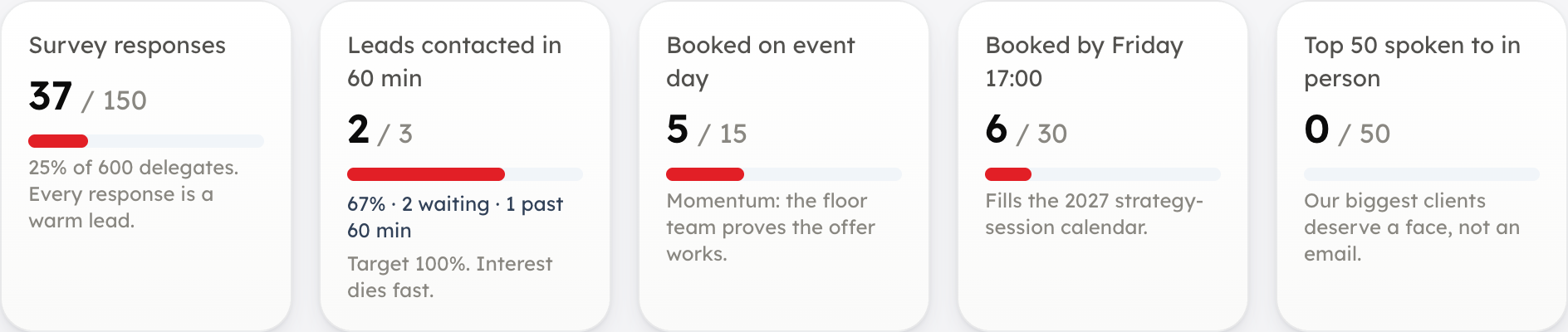
The five targets, live. Sample numbers.
  1. Put your squad on the access list tonight“Who has access” on the laptop page. Pick each person and choose Floor Squad or Base Squad. Once the first name is added, only the people listed can open these screens, so add everyone in one go.
  2. Post the scoreboard every 2 hours“Copy scoreboard for WhatsApp” gives it in the Operation 2027 format, with the time. 10:00, 12:00, 14:00, 16:00 and 18:00 on event day.
  3. Base Lead: assign every leadWithin 5 minutes of it landing. The count of leads still to assign sits under the speed-to-lead score.
  4. Floor Lead: split the top 50Pick a floor seller against each top account, 10 each. It shows who is here from that company and when they last bought.
  5. Watch for red rowsAny lead past 60 minutes goes to whoever is free.
The leaderboard with reps ranked by points
Leaderboard. Sample names.

The targets

What we're counting

150
scans (survey answers)
100%
of leads contacted within 60 minutes
15
sessions booked on event day
30
booked by Friday 17:00
50
top accounts spoken to in person

The day

Wednesday at a glance

WhenWhatWho
07:00Cards on every seat. Floor Squad briefing: phones checked, 10 targets each.Floor Lead
07:30Base Squad at desks with Sales › Operation 2027 open.Base Lead
After the opening keynoteStage pitch 1. The survey code stays on screen for 60 seconds. Floor Squad walks the aisles helping people scan.Ralf / MC
All dayEvery lead assigned within 5 minutes and contacted within 60.Base Squad
Every breakWork the coffee stations. Find your targets. Don't stand in a Topco huddle.Floor Squad
Every 2 hoursScoreboard posted in the group.Floor Lead
Before the closing sessionStage pitch 2.Ralf / MC
18:00Debrief: numbers against target, what broke, Thursday's call list.Both Leads
Thursday08:30 stand-up. Every seller books 5. Scoreboard at 12:00 and 16:00.All 20
Friday 17:00The offer closes. The booking page stops taking bookings by itself.Ralf

If something goes wrong

Quick fixes

“You're not on the Operation 2027 team yet”Ask your Lead to add you to the access list, then reload.
The CRM looks squashed on my phoneYou're on the main CRM. Go to crm.topco.co.za/sprint instead.
“Something went wrong” / “Server Action was not found”Reload the page. It means the page was open while the system was updated.
The QR code won't scanHave them type crm.topco.co.za/hr2027 for the survey or crm.topco.co.za/book to book. Or book it for them on your phone.
“All 30 sessions are booked”They can still leave their details on the booking page: it becomes a waiting list. Only Ralf opens more.
“Sessions run from Monday 19 to Friday 30 October”You picked a date outside the two weeks. Pick one inside it.
“That time has just been taken”That hour already has two sessions. Pick another.
“This lead belongs to another rep”Someone tapped Contacted first. Leave it with them.
The venue Wi-Fi dropsUse mobile data. Worst case, write down the name, number and time, and enter it at the next break.
Not for this weekThe full 50-statement scorecard, the benchmark report, Sold vs paid and the Sales rules all wait until after the event.